
Case study · DFW Painting
Connecting website, ERP, marketing data, and business rules inside a growing service company.
DFW Painting’s technology initiative went well beyond a website rebuild. PageUP worked across WordPress, NetSuite, estimating, reporting, referral programs, marketing measurement, and field-workflow development to translate the company’s operating rules into working systems.
Historical engagement
Approximately 2015–2019
Website, ERP, referral, reporting, and operational workflow development.
Business Systems · NetSuite · WordPress · Estimating · Reporting · Marketing Measurement
The operating problem
DFW Painting was pursuing a technology-driven operating model that connected lead intake, customer records, estimating, field operations, accounting, referrals, marketing, and reporting. The challenge was to reflect how those responsibilities depended on one another in the systems people used.
During a full-time engagement from approximately 2015 to 2019, Alan Pace worked inside the company in a combined software and marketing leadership role. His responsibilities included hands-on development, integration, reporting, digital marketing, and product management.
- From inquiry to estimate
- Website intake needed to become usable customer and estimate-related information.
- From business rule to system behavior
- Estimating, referral, accounting, and reporting requirements needed explicit logic.
- From departments to delivery
- Software priorities required input from the people doing the work.
Website + ERP
The public website was not treated as a separate marketing surface. Intake data needed to enter the operating system of the business.
WordPress and Gravity Forms fields were mapped to NetSuite fields for customer, contact, and estimate-related information. This integration provided an operational bridge from website submissions into the ERP.
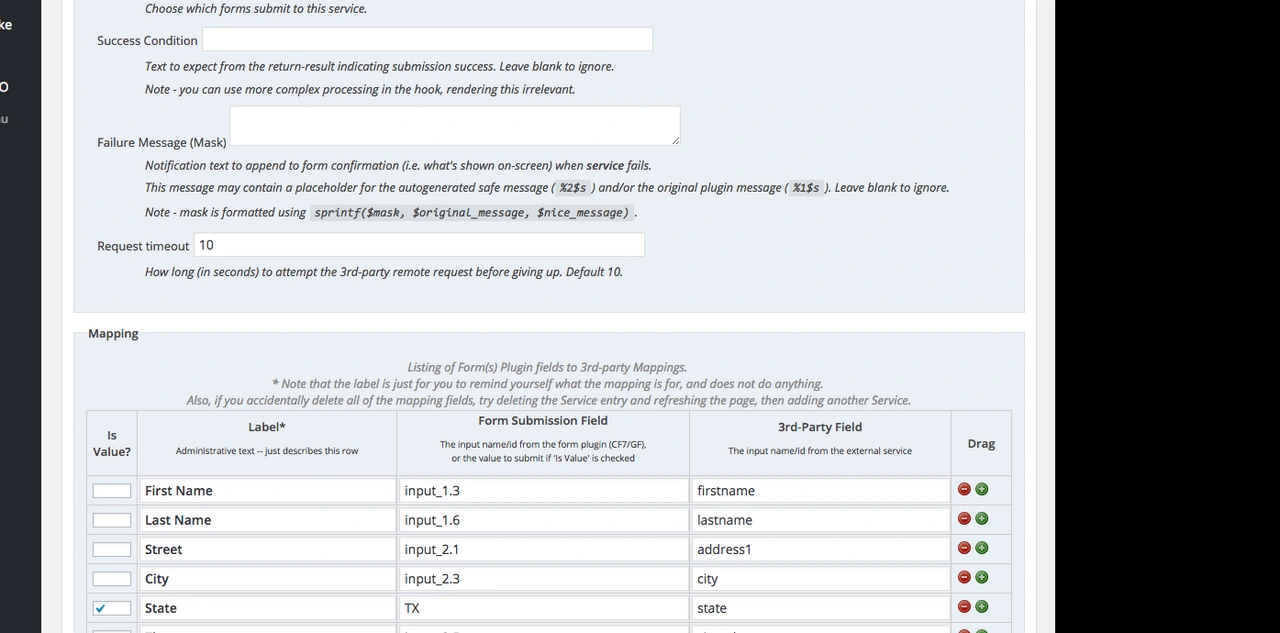
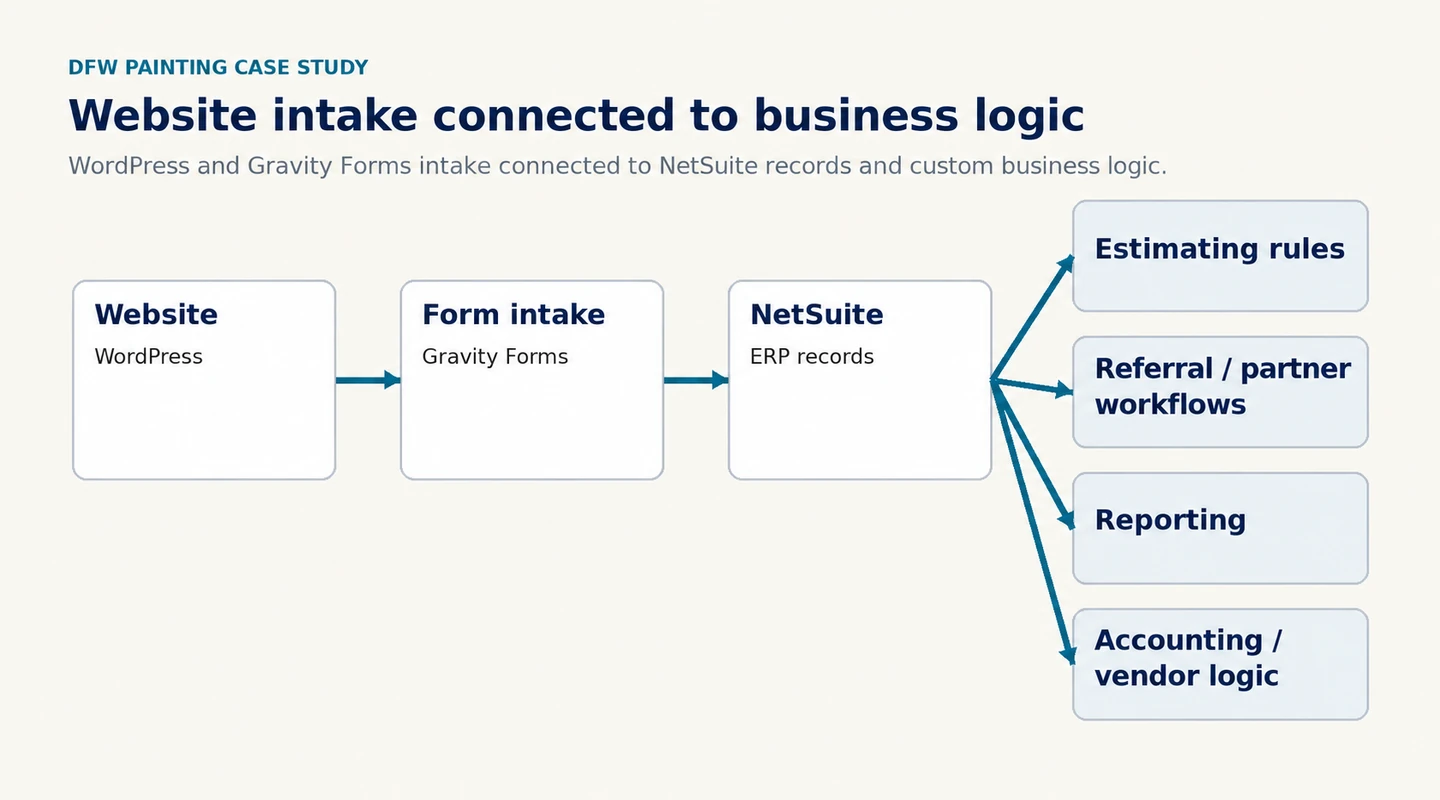
The supported architecture connects WordPress website intake through Gravity Forms to NetSuite records. Custom business logic covered estimating, referral and partner workflows, reporting, and accounting or vendor processes.
Business rules in NetSuite
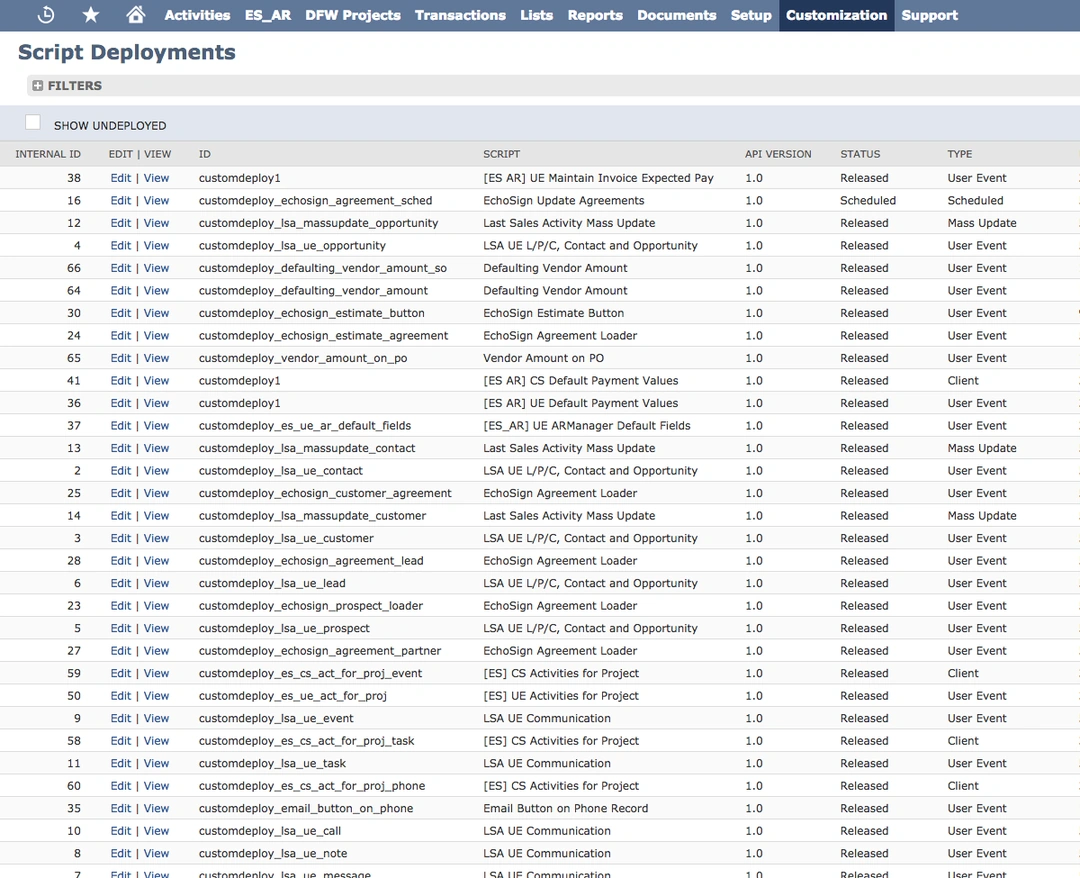
The customized NetSuite environment brought business rules into scripts, forms, fields, saved searches, and workflow behavior. The work included estimating conditions and operational calculations as well as vendor, accounting, referral, and reporting requirements.
- Estimating and calculations
- Interior and exterior estimating, measurements, project dimensions, work-type conditions, and job-duration calculations.
- Forms, fields, and behavior
- Custom scripts, administrative tools, permissions, role controls, and workflow changes.
- Accounting and reporting
- Vendor and partner logic, custom reporting, and saved searches that supported management information.
Sales, referrals + reporting
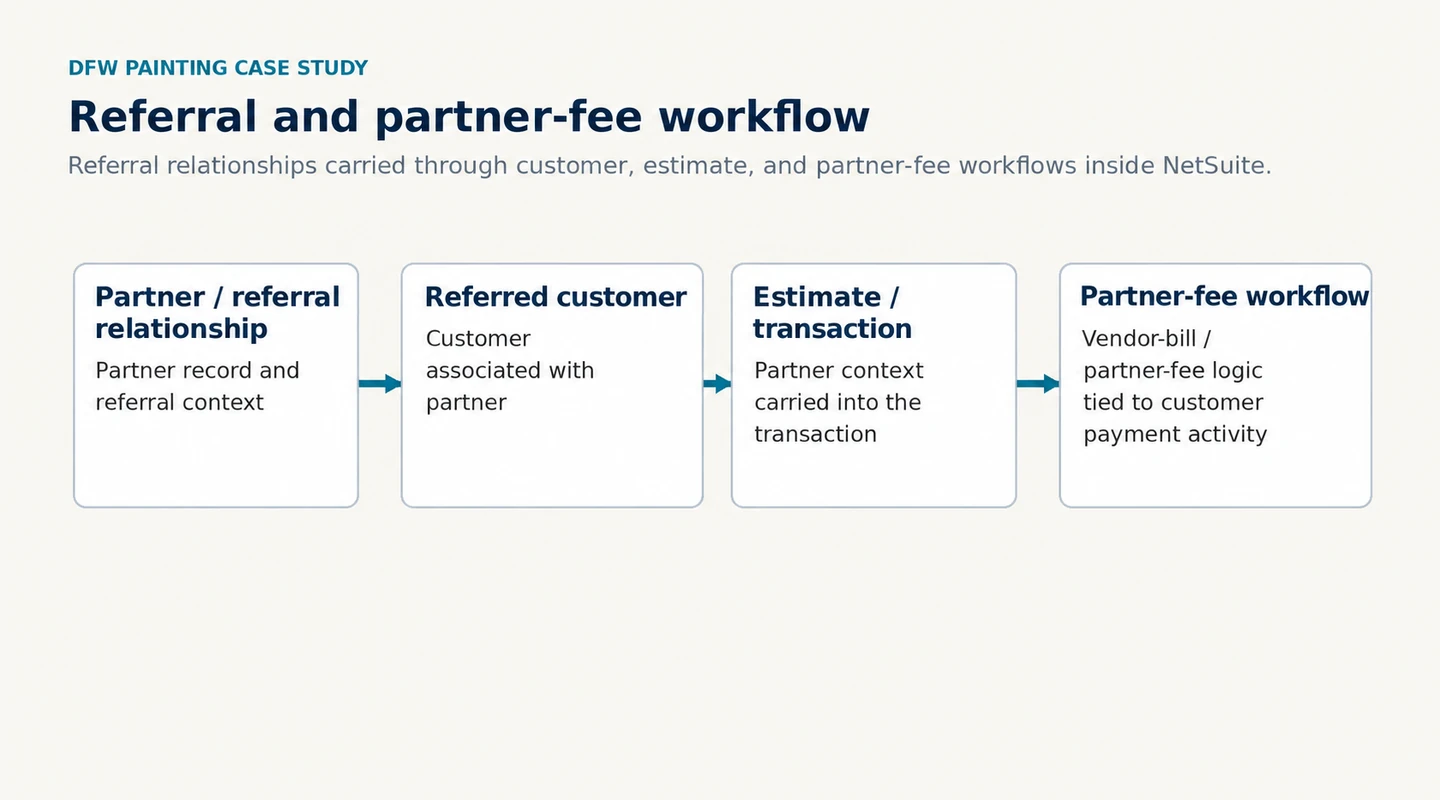
DFW Painting’s Partner Program connected referral relationships to customer records, estimates, and partner-fee billing. When a referred customer moved through the sales and payment process, the ERP carried the partner relationship forward so referral compensation could be handled within the same operating system.
-
Record the relationship
A partner record establishes referral context.
-
Associate the customer
The referred customer is connected to the partner.
-
Carry the context
Estimates and transactions retain the partner relationship.
-
Apply the fee logic
Partner-fee or vendor-bill behavior is tied to customer payment activity.
Management reporting requirements spanned revenue, estimate and project types, gross margin, commissions, contract labor, materials, equipment, and partner fees.
Marketing + measurement
Software and marketing responsibility sat within the same engagement. Alan managed the company’s online presence and acquisition activity while developing the systems used to understand leads, conversions, and revenue.
Reach the right audience
- SEO, local search, and reputation management
- Google Ads and Microsoft / Bing Ads
- Facebook campaigns and third-party lead platforms
Improve the intake path
- Landing pages
- A/B testing
- Website and lead-source measurement
Inform decisions
- Campaign reporting
- Lead-source and cost-per-conversion analysis
- Revenue-oriented marketing analysis
Product + software delivery
The development process brought together project prioritization, requirements gathering, and cross-department input. Flowcharts and wireframes helped translate operational needs into a shared understanding of what to build.
Alan served in product-manager and Scrum-master roles and supervised a dedicated NetSuite developer for more than a year. Airtable supported milestone and task planning, while Bitbucket supported the development workflow.
- Define and prioritize
- Gather requirements, map the process, and plan milestones and tasks.
- Build and review
- Coordinate daily Scrum, development work, and ongoing iteration.
- Test and release
- Use sandbox testing, release documentation, and screenshots or video for training.
Field + customer workflow development
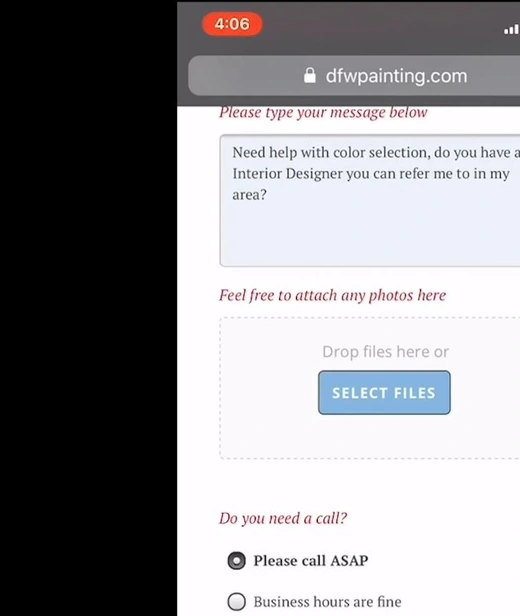
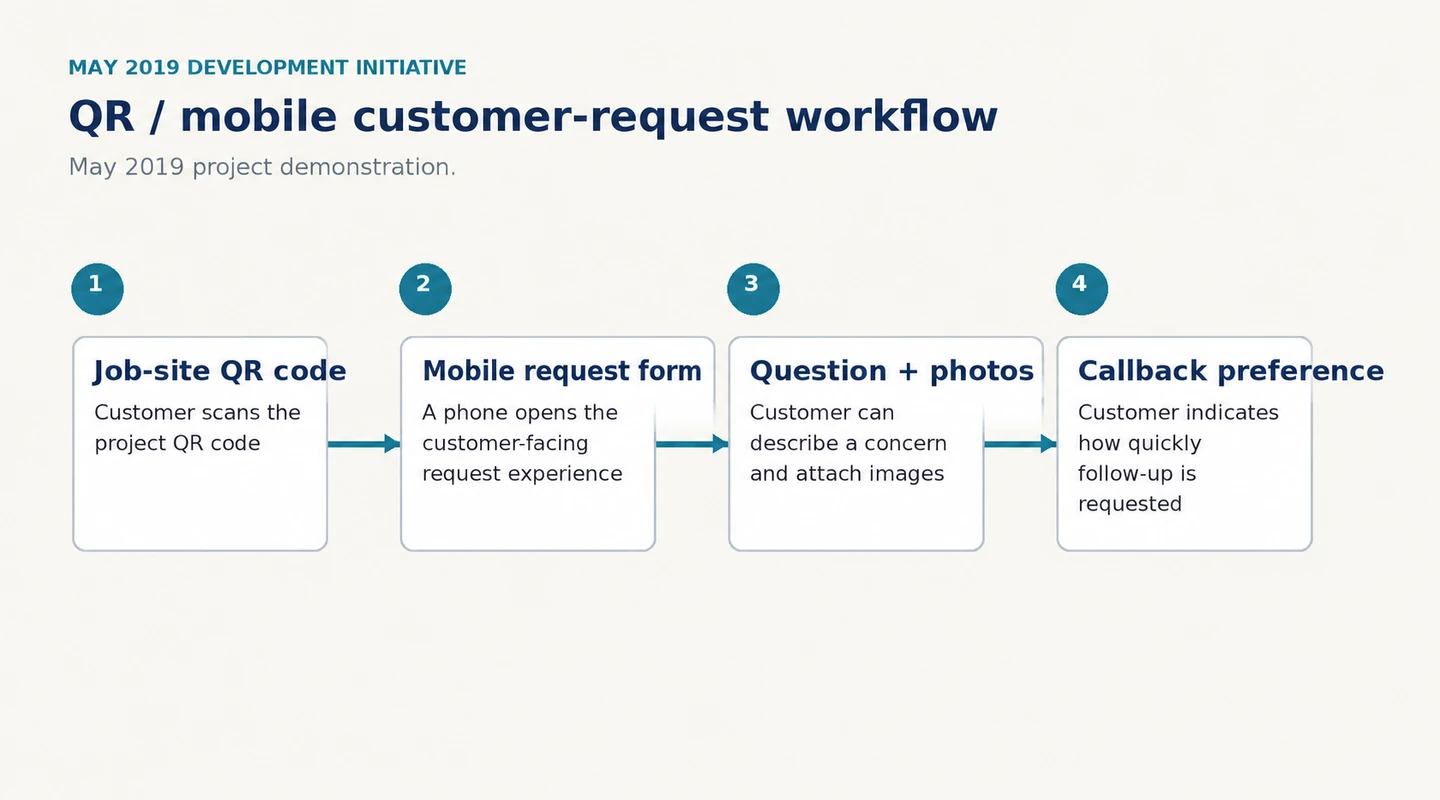
The same systems thinking was beginning to extend into the field. In May 2019, DFW Painting demonstrated a QR-triggered mobile workflow that allowed customers to submit job-site questions, attach photos, and indicate callback priority. Broader customer, painter, and project-manager workflows were also being developed.
-
Scan the job-site code
The customer scans the project QR code.
-
Open the request form
A phone opens the customer-facing request experience.
-
Add a concern and photos
The customer can describe a question or concern and attach images.
-
Choose callback preference
The customer indicates how quickly follow-up is requested.
Working across the business
The engagement brought together website intake, ERP customization, estimating logic, referral and commission workflows, reporting, marketing measurement, and internal operational tools. Because the work crossed departments, the technical decisions had to reflect how sales, production, accounting, marketing, and management actually used the information.
The result was not one isolated application, but a set of connected systems and workflows shaped around real operating requirements.
What the work demonstrates
The DFW Painting work required understanding how leads became estimates, how estimates became projects, how referral and accounting rules affected transactions, how management measured performance, and where staff needed better tools. The technology mattered because it had to reflect those relationships.
Bring the real problem